How to do a weekly trading review: 12 questions
Numbers first, then behaviour, then one decision for next week – with a free template.
Short answer
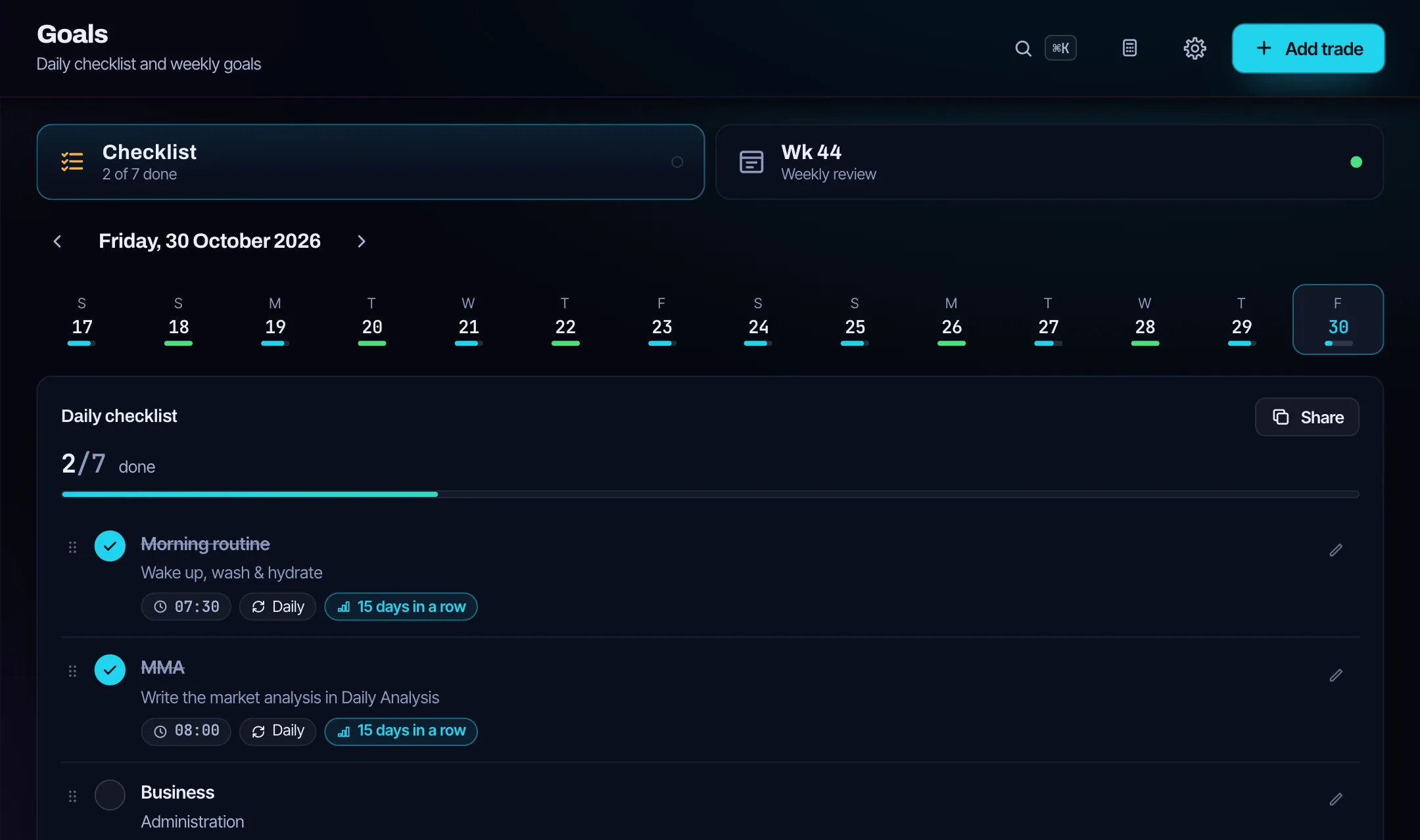
A weekly trading review is a fixed time once a week to look back in a set order: first the numbers of the week, then how well you followed your process, then one decision for the next week. The 12 questions below follow that order and the weekly review in Edgetrail – weekly goals, a grade from A to F, Keep, Stop, Start, the lesson of the week and one focus sentence that shows up at the top of the next week. The template is free as a Markdown file.
The 12 questions
- What was my net result after fees – in money and in R?
- How many trades did I take, and how many broke a rule or carried a mistake?
- Which system made money this week, and which one lost?
- On which weekday and at which hour did I trade best and worst?
- Did I stay inside my daily max loss and max trades every day – and, in a challenge, how much room is left to the drawdown limit?
- On how many days did I write the morning analysis and the readiness check, and did I follow the call?
- How often was my morning bias right?
- Which weekly goals did I reach?
- Keep: what worked and stays?
- Stop: what do I stop doing?
- Start: what will I try next week?
- What is the lesson of the week, and what is my one focus for next week?
Download the weekly review template (Markdown) – it opens in any text editor and prints cleanly.
Where each answer comes from in Edgetrail
| Question | Where to look |
|---|---|
| 1 | Dashboard and Analytics, period 7d |
| 2 | Trades: Rules followed? and Mistakes |
| 3 | Systems: trades, win rate, net and profit factor per system |
| 4 | Analytics: heatmap by weekday and hour |
| 5 | Daily Analysis: trade plan; Dashboard: prop firm card |
| 6 | Goals: the day row of the week; Daily Analysis: Can I trade today? |
| 7 | End of Day Review: morning bias check (right / mixed / wrong) |
| 8 | Goals → Weekly review: weekly goals |
| 9 | Weekly review: Keep |
| 10 | Weekly review: Stop |
| 11 | Weekly review: Start |
| 12 | Weekly review: Lesson of the week, Focus next week |
Screen and field names as in the app, which is in English. The weekly review itself is under Goals → Weekly review; the daily lessons from your end of day reviews are collected there automatically.
How to run it
- Pick one fixed slot, for example Saturday morning, before you look at any chart for the next week.
- Answer questions 1–5 from the journal only – no memory, no excuses.
- Answer 6–8 from your routine: morning analysis, readiness check and weekly goals.
- Write Keep, Stop and Start in one sentence each, give the week a grade and write one focus sentence.
- Set at most a few weekly goals for the next week; Edgetrail allows up to 10, fewer work better.
Numbers before feelings
Results per setup need a sample: a setup with five trades this week tells you little, so read questions 3 and 4 over several weeks as well. Measure in R where you can – the R-multiple calculator explains why – and include fees. If you trade a challenge, question 5 is the one that keeps you in it; the prop firm challenge guide explains how to read the room to your limits.
Part of a routine
The weekly review closes the loop of the daily routine: morning analysis and the pre-trade check, the end of day review at night, and once a week this look back. For what to log on every trade, see how to keep a trading journal; positions closed in several parts belong in one trade, as shown in how to journal partial exits, or the week’s win rate is off. When you read the week’s profit factor, what is a good profit factor gives honest ranges, and the glossary defines every number on the review. Edgetrail costs $24 a month or $199 a year; the first 50 Founders pay $99 once, after that a Lifetime plan costs $249 once. The first 14 days are free without a credit card, and every payment comes with a 14-day money-back guarantee.
Updated:
Frequently asked questions
How long should a weekly trading review take?
Long enough to answer all 12 questions honestly. With a journal that already holds the numbers, most of the time goes into Keep, Stop and Start, not into adding up results.
What is Keep, Stop, Start?
Three short answers: what worked and stays, what you stop doing, and one thing you try next week. Edgetrail’s weekly review has a field for each.
Should I change my strategy after a bad week?
Not because of one week. A week rarely holds enough trades per setup to judge it; look at the setup over many trades and check first whether the losses came from rule breaks.
Is the weekly review template free?
Yes. It is a Markdown file with the 12 questions, the weekly goals and the wrap-up, free and without sign-up.
Keep reading
$24 a month · $199 a year · $99 once as a Founder (50 spots) · later $249 Lifetime. The first 14 days are free, no credit card.
All pricesReady to face your numbers?
Log your first trade in minutes. 14 days free, no credit card.
Try free for 14 days