How to keep a trading journal, step by step
What to write down, when to look back – and which numbers tell you the truth.
Short answer
A trading journal is a record of every closed trade – date, market, direction, entry, exit, size, fees and result – plus the reason you took it and what went wrong or right. It only pays off if you review it: daily for discipline, weekly for patterns, and per setup once you have enough trades. Start with a free CSV template or a spreadsheet; move to a dedicated journal once partial exits, fees and statistics per setup become work.
What to log for every trade
- The facts: date and time, symbol, long or short, entry price, exit price, size, fees – or simply the realised P&L your exchange reports, which already includes fees and funding.
- The plan: your stop, so the result can be measured in R (units of risk), and the setup or system the trade belongs to.
- The reason: one sentence on why you entered. If you cannot write it, that is information too.
- The review: mistakes, emotions and a chart screenshot, filled in after the trade is closed.
When to look at it
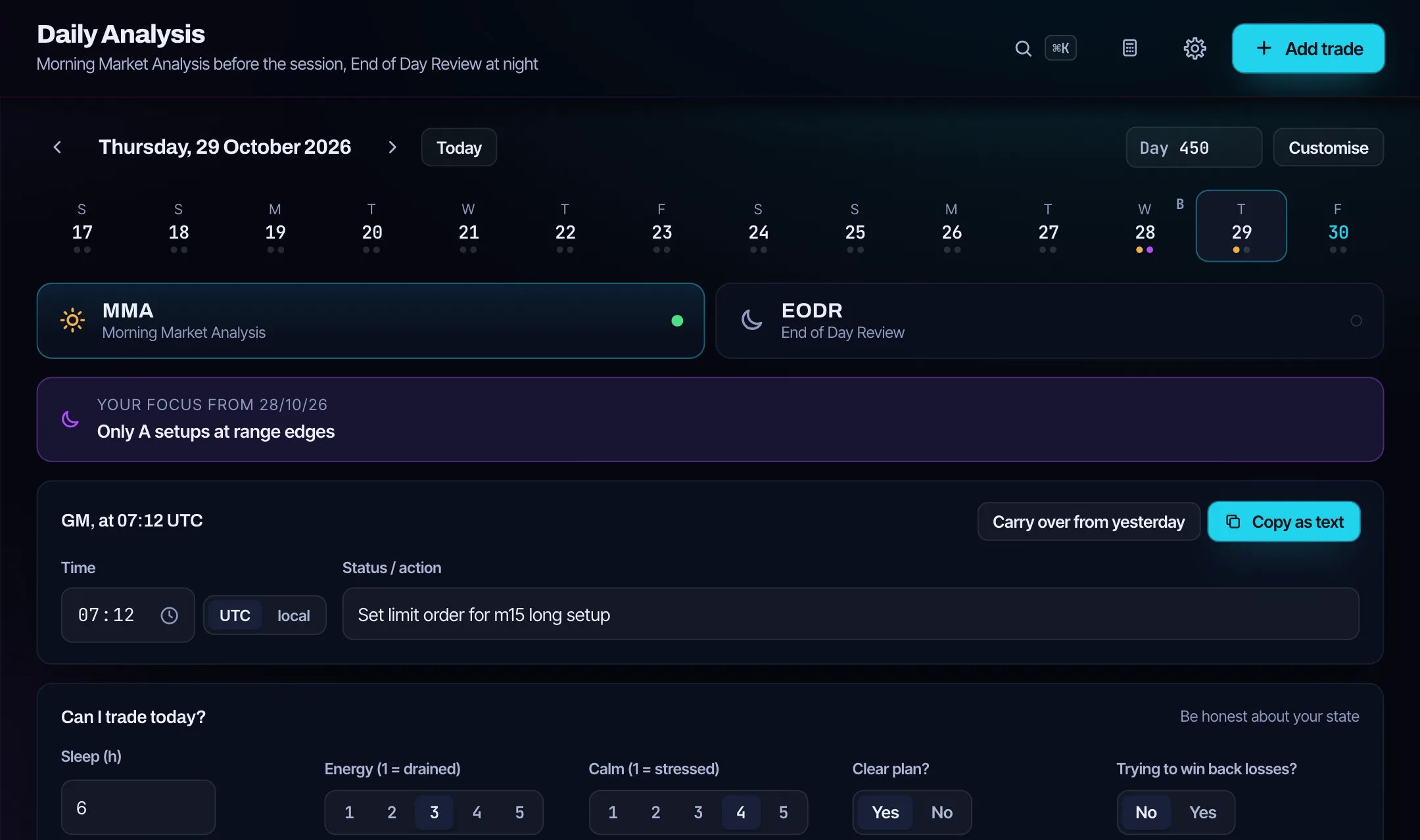
- Before the session: a short market analysis and a check whether you should trade at all today (sleep, mood, losses already taken).
- After the session: log the remaining trades and write down what you would do differently.
- Once a week: look at results per setup, weekday and market. Ask what to keep, what to stop and what to start.
Edgetrail builds this frame into the daily routine: morning market analysis, pre-trade check, end-of-day and weekly review.
The numbers that matter
- Expectancy – what an average trade earns (expectancy calculator).
- Profit factor – gross profit divided by gross loss (profit factor calculator).
- Average R – results in units of risk (R-multiple calculator).
- Maximum drawdown – the deepest dip of your equity curve.
Read every number together with its sample size: 12 trades say little, 100 trades from different market phases say a lot more.
Common mistakes
- Logging only the good trades, or only the bad ones.
- Leaving out fees and funding, so the journal looks better than the account.
- Treating three entries and two exits as five trades instead of one position.
- Changing the setup every week, so no setup ever collects enough trades to be judged.
Spreadsheet or journal app?
A spreadsheet is free and flexible and fine for a few trades a month. A dedicated journal pays off when you trade more often, scale in and out, pay fees in different currencies or want statistics per setup. The comparison of journal and spreadsheet goes into detail. Edgetrail costs $24 a month or $199 a year; the first 50 Founders pay $99 once, after that a Lifetime plan costs $249 once. The first 14 days are free without a credit card, and every payment comes with a 14-day money-back guarantee.
Updated:
Frequently asked questions
What should a trading journal include?
For every closed trade: date, symbol, direction, entry, exit, size, fees or the realised P&L, the stop for the R-multiple, the setup, the reason for the trade, and after the trade the mistakes, emotions and a screenshot.
How often should I review my trading journal?
A short look after every session, a structured review once a week, and a review per setup once it has at least a few dozen trades.
Is there a free trading journal template?
Yes. Edgetrail offers a free CSV template for Excel and Google Sheets that also imports into Edgetrail.
Keep reading
$24 a month · $199 a year · $99 once as a Founder (50 spots) · later $249 Lifetime. The first 14 days are free, no credit card.
All pricesReady to face your numbers?
Log your first trade in minutes. 14 days free, no credit card.
Try free for 14 days